Use the Compositor
The Telar Compositor is a visual tool for building exhibitions. You can add objects, write stories, arrange steps, and preview your site — all in your browser, with no coding required.
When you’re ready, the Compositor publishes a complete Telar site to GitHub Pages.
What you’ll need
- A GitHub account (free)
- Images, videos, or audio files for your exhibition
Get started
Go to compositor.telar.org and sign in with your GitHub account. The Compositor will ask you to install the Telar Compositor GitHub App — this gives it permission to create and manage repositories on your behalf.
Once signed in, you have two options:
Create a new site
Click Create new site, type a name for your repository — use lowercase letters and hyphens (e.g., my-exhibition) — and the Compositor will set everything up for you: it creates the repository from the Telar template, configures GitHub Pages, and gets your site ready to edit.
Your repository will be public. GitHub Pages requires a public repository unless you have a paid GitHub plan.
Connect an existing repository
If you already created a repository from the Telar template or have an existing Telar site, select it from the list and the Compositor will import your content.
Manual setup: create a repository on GitHub first
If you prefer to create your repository yourself before connecting it:
- Visit the Telar template
- Click the green Use this template button
- Choose Create a new repository
- Give your repository a name — use lowercase letters and hyphens (e.g.,
my-exhibition) - Make sure Public is selected
- Click Create repository
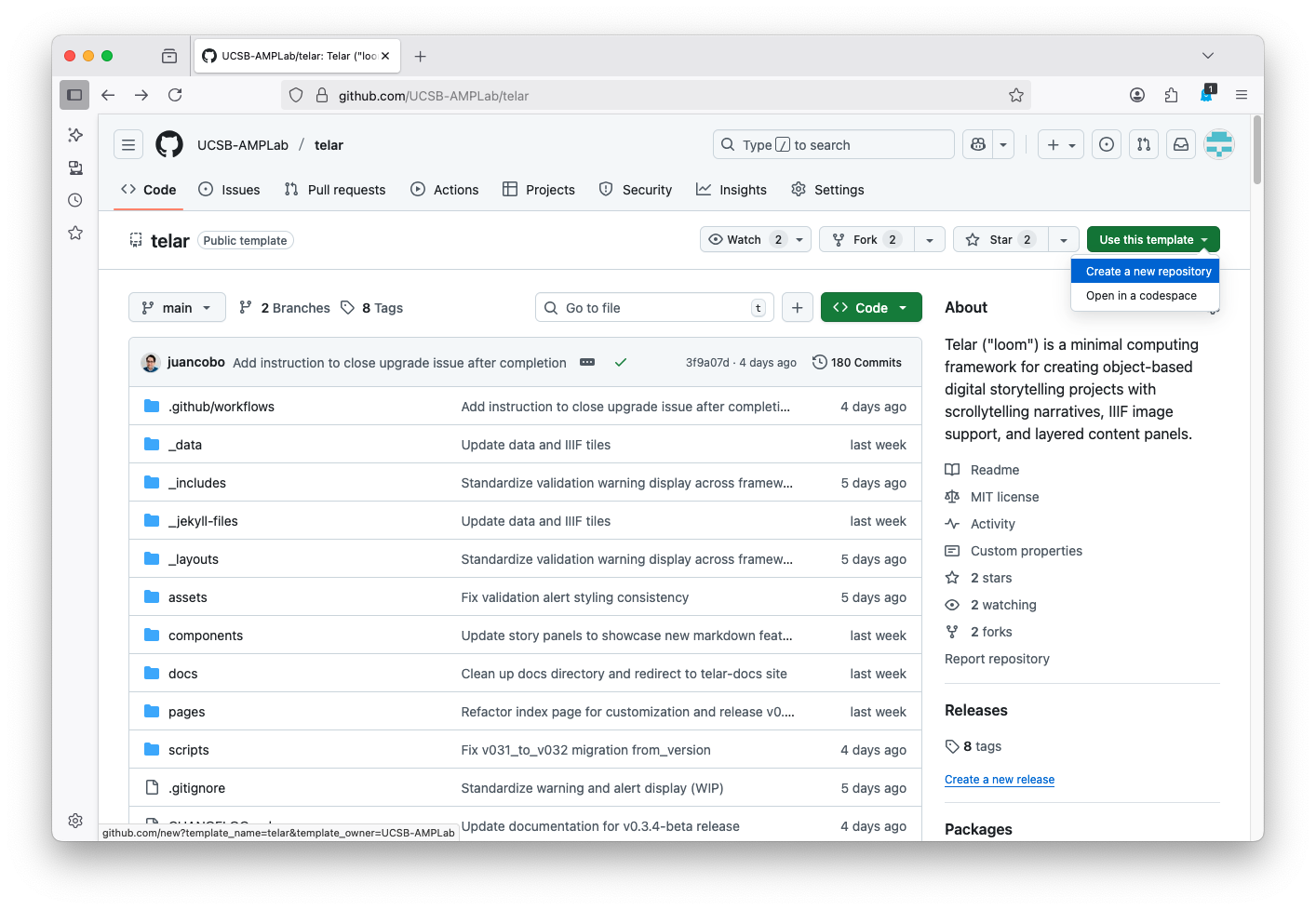
Then enable GitHub Pages:
- In your repository, go to Settings → Pages
- Under Source, select GitHub Actions
- Click Save
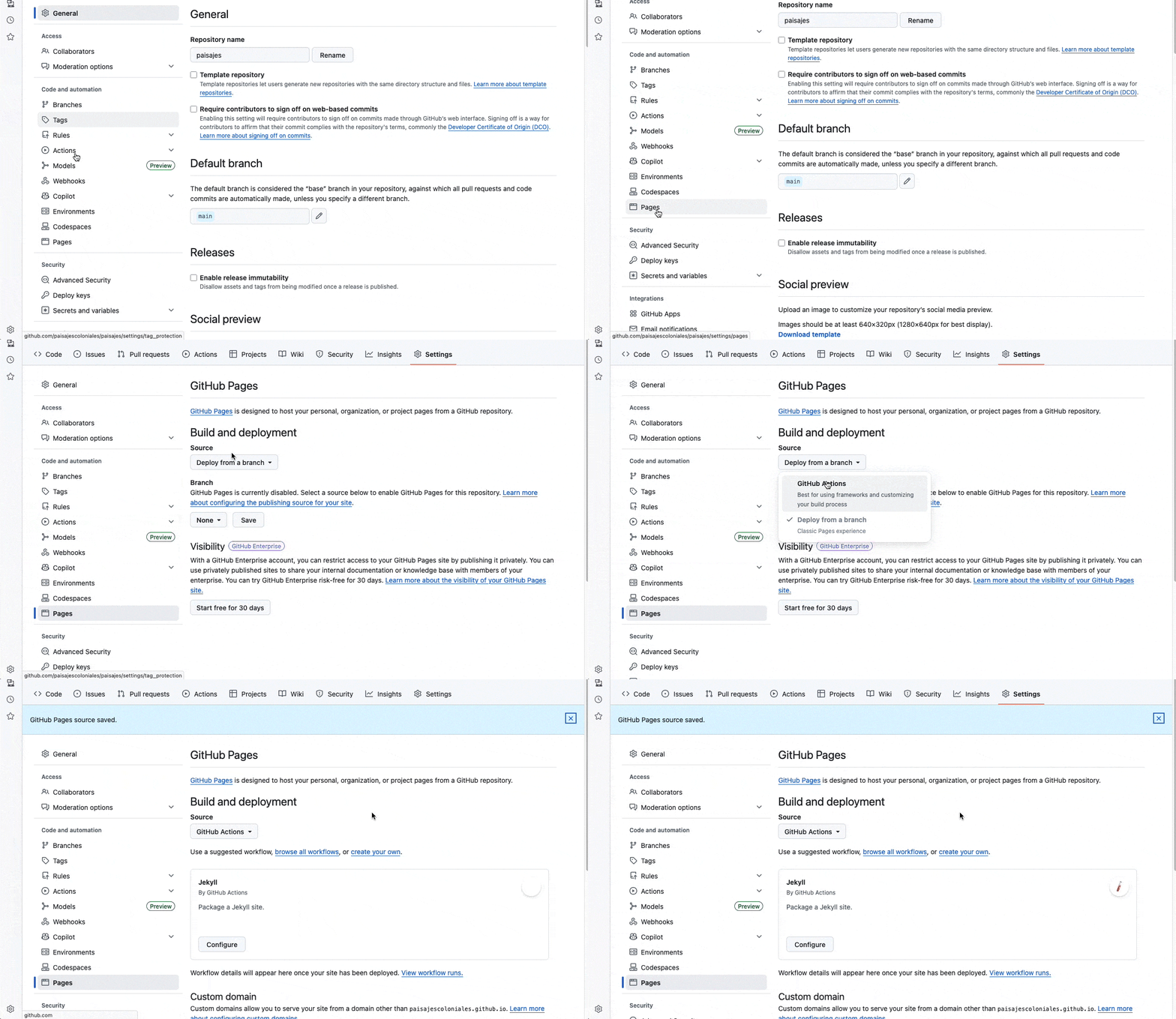
Once that’s done, return to compositor.telar.org and connect the repository.
What the Compositor can do
- Edit stories visually — add steps, write text, set image coordinates, and preview your narrative in real time
- Upload images — drag and drop images directly; IIIF tiles are generated automatically
- Add video and audio — embed YouTube, Vimeo, or Google Drive videos and self-hosted audio files with clip controls
- Publish in one click — review your changes, commit to GitHub, and track the build without leaving the editor
For the full guide, see The Compositor.
Next steps
Once your site is live, continue with the tutorial to learn more about Telar’s narrative model and how to refine your exhibition:
- Plan Your Narrative — Understand how stories, steps, and panels fit together
- Review and Refine — Set image coordinates, review your site, and polish