Google Sheets Integration
Use Google Sheets to manage your Telar content through a familiar, collaborative interface. This works with both the GitHub Web workflow and Local Development.
Quick start
- Duplicate the template: https://bit.ly/telar-template (File → Make a copy)
- Share: Anyone with the link (Viewer)
- Publish: File → Share → Publish to web
- Configure
_config.yml→google_sheetsblock (shared_url, published_url) - Build your site (GitHub Actions or local build)
Optional: Import from Excel instead of duplicating the Google template
- Download the Excel template (raw file): /assets/templates/telar-template.xlsx
- In Google Sheets: File → Import → Upload → Replace spreadsheet
Sheet structure
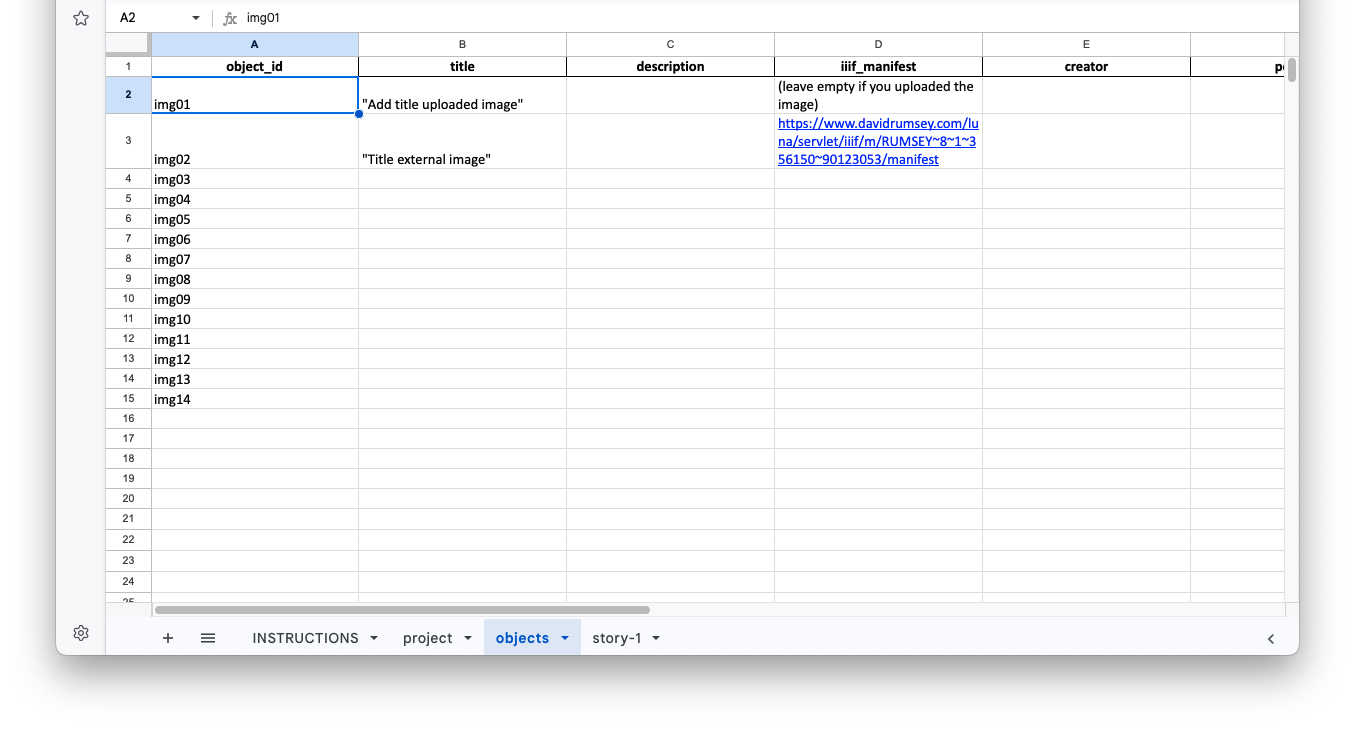
Your spreadsheet contains these tabs by default:
project— Site-wide settings and story listobjects— IIIF objects used across storiesstory-1,story-2, … — Steps and content for each story
Tips
- Use
#-prefixed rows as section breaks or TODOs (ignored during processing) - Any column starting with
#is also ignored (for inline notes/guidance) - Coordinates: start with
0.500, 0.500, 1.000and refine later using the Identify Coordinates tool
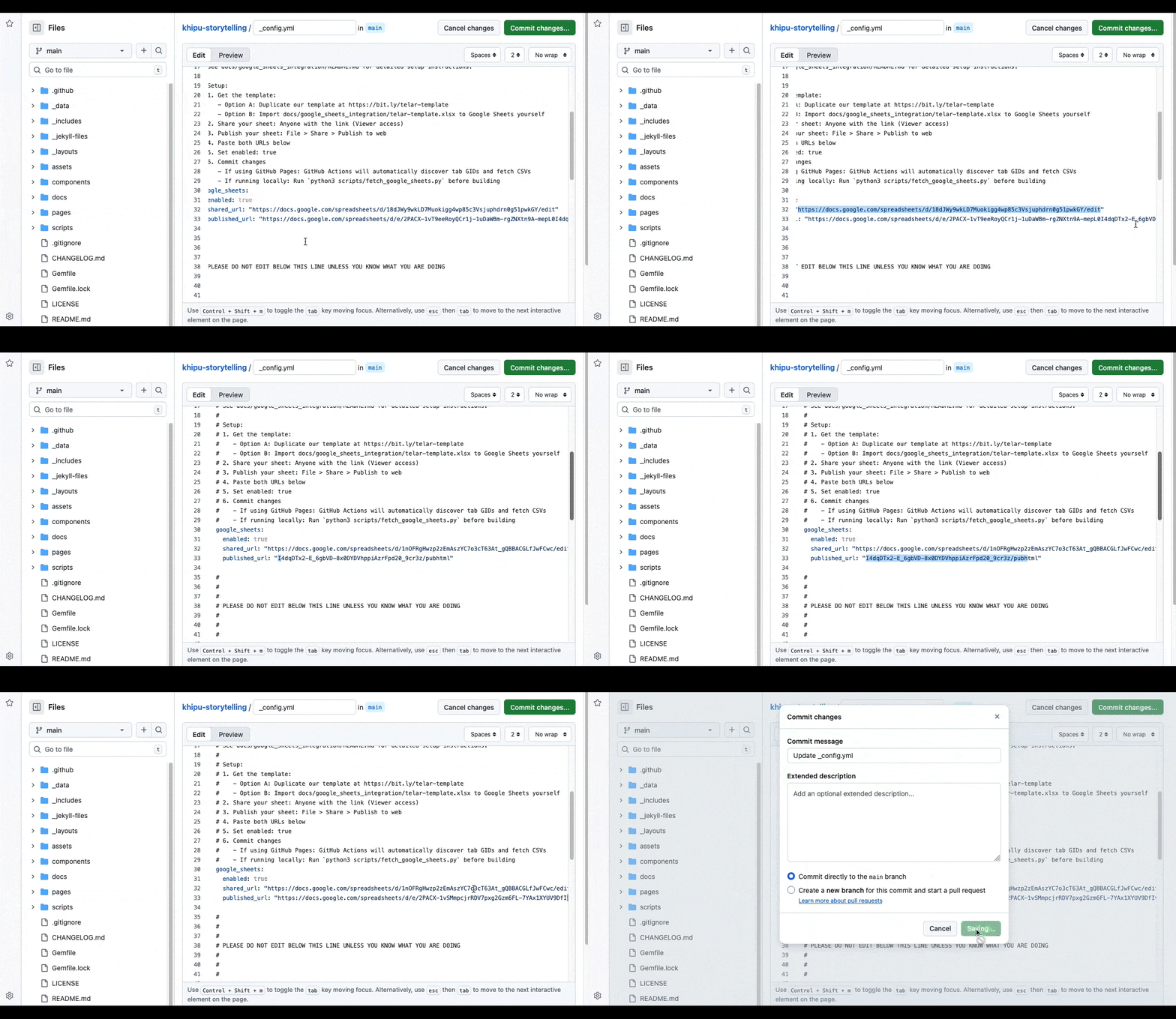
Configuring _config.yml
In your repository, set:
google_sheets:
  enabled: true
  shared_url: "https://docs.google.com/..." # Share: Anyone with the link (Viewer)
  published_url: "https://docs.google.com/..." # File → Share → Publish to web
- The
shared_urlensures the fetcher can read the spreadsheet - The
published_urlprovides stable CSV endpoints for each sheet
Fetching data (local dev only)
When developing locally, use the build script which handles fetching automatically:
python3 scripts/build_local_site.py
Or run the fetch step manually:
python3 scripts/fetch_google_sheets.py
What the fetch script does:
- Discovers tab GIDs automatically
- Downloads CSVs to
components/structures/ - Skips instruction-only tabs
Then run your normal build steps:
python3 scripts/csv_to_json.py
python3 scripts/generate_collections.py
bundle exec jekyll build
Column reference (summary)
project tab
- After the
STORIESrow, list each story (number and title)
objects tab (common fields)
- object_id, title, description, source_url, creator, period, medium, dimensions, location, credit, thumbnail
story-X tabs
- step, object, x, y, zoom, question, answer
- layer1_button, layer1_content, layer2_button, layer2_content
Panel content can be:
- Inline text (write directly in the cell)
- File reference (path ending in
.md)
Inline vs File References For short panels (1–2 paragraphs), write content directly in the spreadsheet cell. Use file references for complex content with widgets or very long narratives. See the CSV Reference: Stories for details.
Troubleshooting
- Invalid object references → ensure IDs match exactly between
objectsand story tabs - Fetch fails → verify share/publish settings and URLs in
_config.yml - Coordinates off → keep values in range (x/y: 0.000–1.000; zoom: positive number)