Objects
Objects are the visual items at the center of your Telar site — images, maps, documents, and other materials that your stories explore.
Defining Objects
Every object in your site is defined as a row in your objects spreadsheet — either in the objects tab of your Google Sheet, or in objects.csv (or objetos.csv) in components/structures/.
At minimum, each object needs an object_id and a title:
object_id,title
textile-001,Colonial Textile Fragment
map-lima,Map of Lima
object_id— A unique identifier (lowercase, hyphens, underscores). This becomes the object’s URL:/objects/textile-001/title— The display name
For images, you have two options:
- Self-hosted: Place image files in
components/images/with filenames matching theobject_id. Telar generates IIIF tiles automatically. - External IIIF: Add a
source_urlcolumn pointing to a IIIF image URL (info.json or manifest).
You can add richer metadata for each object — description, creator, period, year, medium, dimensions, source, credit, and more. See the Object Columns reference for the complete column list.
Object Pages
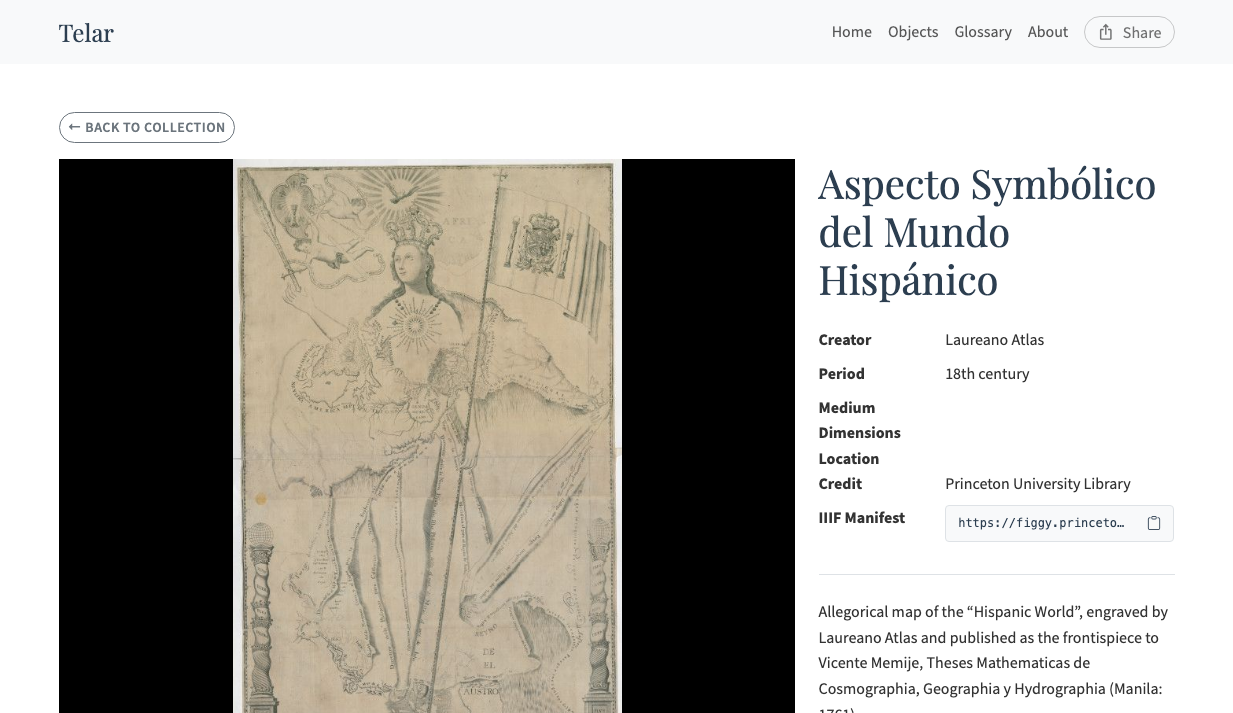
Each object gets its own page at /objects/{object_id}/. The page shows:
- A IIIF viewer displaying the image at full resolution with zoom and pan
- A metadata table with all available fields (creator, period, medium, dimensions, source, credit)
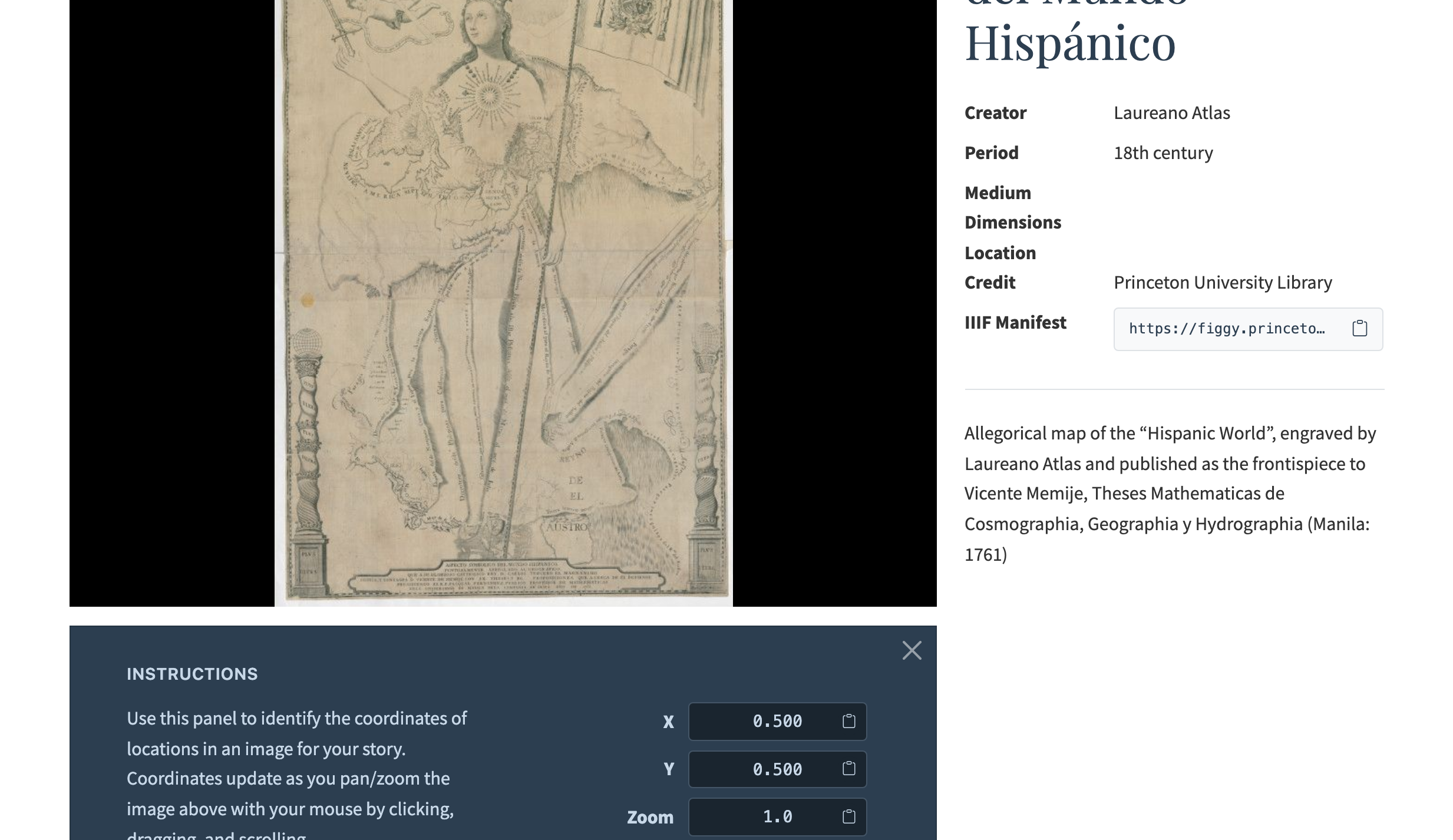
- A coordinate picker for finding x, y, and zoom values to use in story steps
- Related stories that reference the object
- A description section if you provided one in the spreadsheet
Coordinate Picker
The coordinate picker is a development tool on each object page. Click or zoom on the image, then read the normalized coordinates (0–1 range) displayed below the viewer. Use the Copy buttons to copy coordinates directly into your story CSV.
See Also
- Objects Gallery — Browse, search, and filter your collection
- Object Columns — Complete column reference for objects.csv
- Self-Hosted Images — Upload and process your own images
- External IIIF Images — Use images from museums and libraries
- Stories & Panels — How objects are used in stories