Private Stories
Private stories are encrypted during build so that only viewers with the correct key can read them. Use this feature to share work-in-progress stories with collaborators, restrict access to classroom materials, or keep sensitive content from public view.
New in v0.8.0.
How It Works
When you mark a story as protected:
- During build, Telar encrypts the story’s step data (questions, answers, panel content, coordinates) using AES-256-GCM encryption
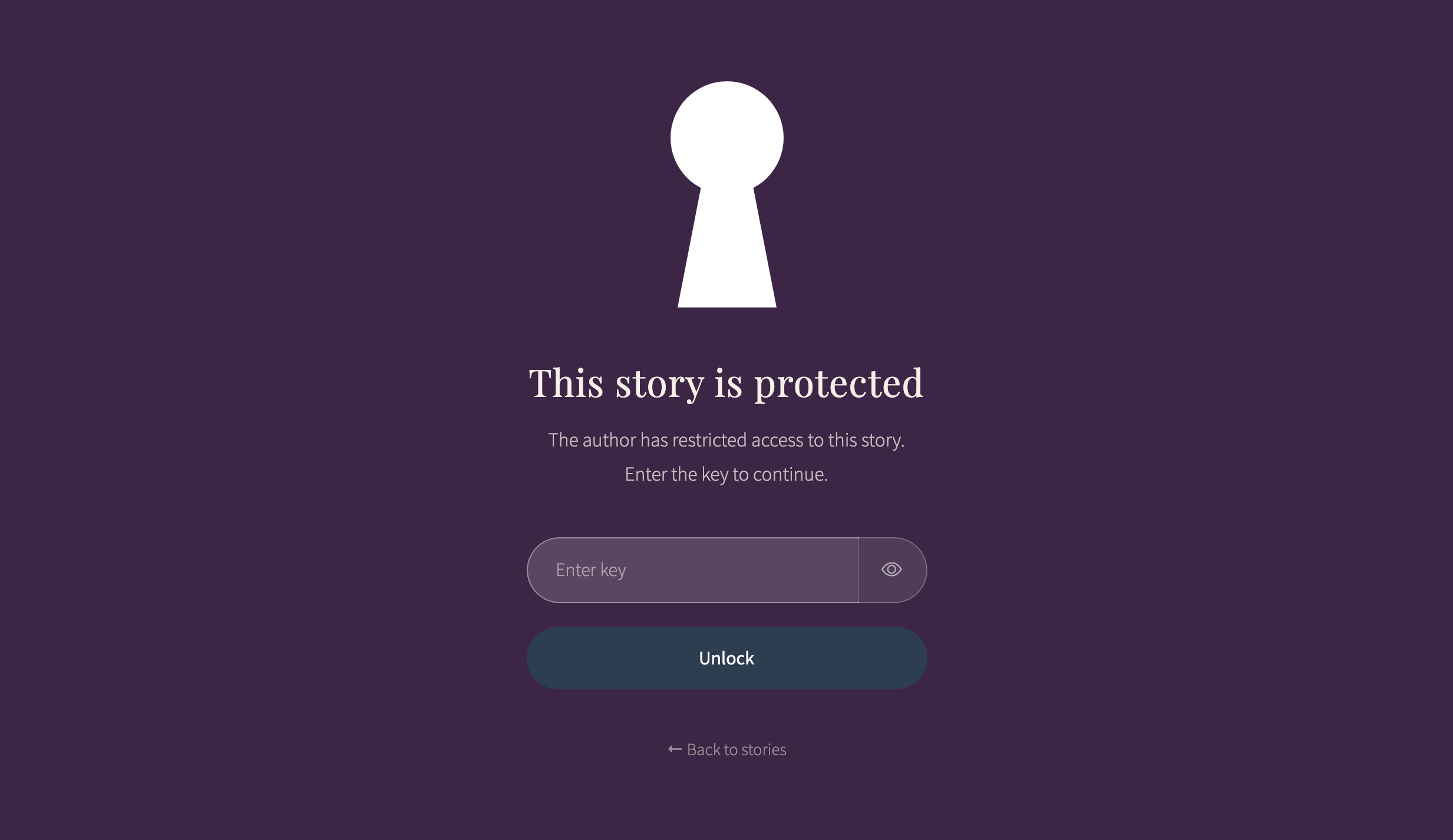
- On the published site, the story page loads with a locked overlay — the story content is not visible
- Viewers enter the key (or use a link that includes it), and the story decrypts in their browser
- Once unlocked, the story works normally and stays unlocked for the rest of the browser session
The story’s title and subtitle remain visible in the project listing. Only the step-by-step content is encrypted.
Setup
Two things are needed: a key in your config and a flag on each story you want to protect.
1. Set the Story Key
Add story_key to your _config.yml:
story_key: "your-secret-key"
This key is used to encrypt all protected stories. Choose something memorable but not easily guessed.
2. Mark Stories as Protected
In your project.csv, set the protected column to yes for each story you want to encrypt:
order,story_id,title,subtitle,protected
1,colonial-textiles,Colonial Textiles,Weaving traditions,
2,draft-analysis,Analysis Draft,Work in progress,yes
Stories without protected: yes remain public.
Sharing Protected Stories
There are two ways viewers can unlock a protected story:
Key Entry Form
When a viewer opens a protected story, they see an overlay with a key entry field. They type the key and press Enter. If the key is correct, the overlay fades away and the story appears.
If the key is wrong, the form displays an error message and lets them try again.
Link with Key Parameter
You can share a direct link that includes the key as a URL parameter:
https://your-site.com/stories/draft-analysis/?key=your-secret-key
Viewers who open this link skip the entry form — the story decrypts automatically.
The key is visible in the URL when shared this way. Anyone who sees the link (in browser history, chat logs, or email) will have access to the story.
Session Caching
Once a viewer unlocks a story, it stays unlocked for the rest of their browser session. Navigating away and returning to the story does not require re-entering the key. Closing the browser clears the cache.
Security Considerations
Story protection uses client-side encryption. It is designed for casual access control, not for securing highly sensitive content.
What it provides:
- Encrypted story data that cannot be read without the key
- Strong encryption (AES-256-GCM with PBKDF2 key derivation)
- No server-side infrastructure needed
What it does not provide:
- Per-user access control — everyone uses the same key
- Protection against determined attackers with access to your repository source
- Hidden story metadata — titles and subtitles are still visible in the project listing
For stronger security, use a private GitHub repository. This prevents anyone without repository access from viewing the site at all.
Configuration Reference
| Setting | Location | Purpose |
|---|---|---|
story_key |
_config.yml |
The encryption/decryption key |
protected |
project.csv column |
Marks individual stories for encryption |
See Configuration for details on the story_key setting.
See Also
- Stories & Panels — How to build stories
- CSV Reference: Project — The
protectedcolumn in project.csv - Configuration — Story key and interface settings