Arrange the whole exhibition
An exhibition includes its homepage, stories, objects, glossary and supporting pages. Plan how someone will find a route through them before polishing individual screens.
Decide what the homepage introduces
State the exhibition’s subject, its guiding question and who made it. Offer enough context to choose a story without reproducing the whole introduction to every story.
Give story cards distinct titles and useful subtitles. Put the suggested starting story first when order matters. If stories can be read independently, make that clear.
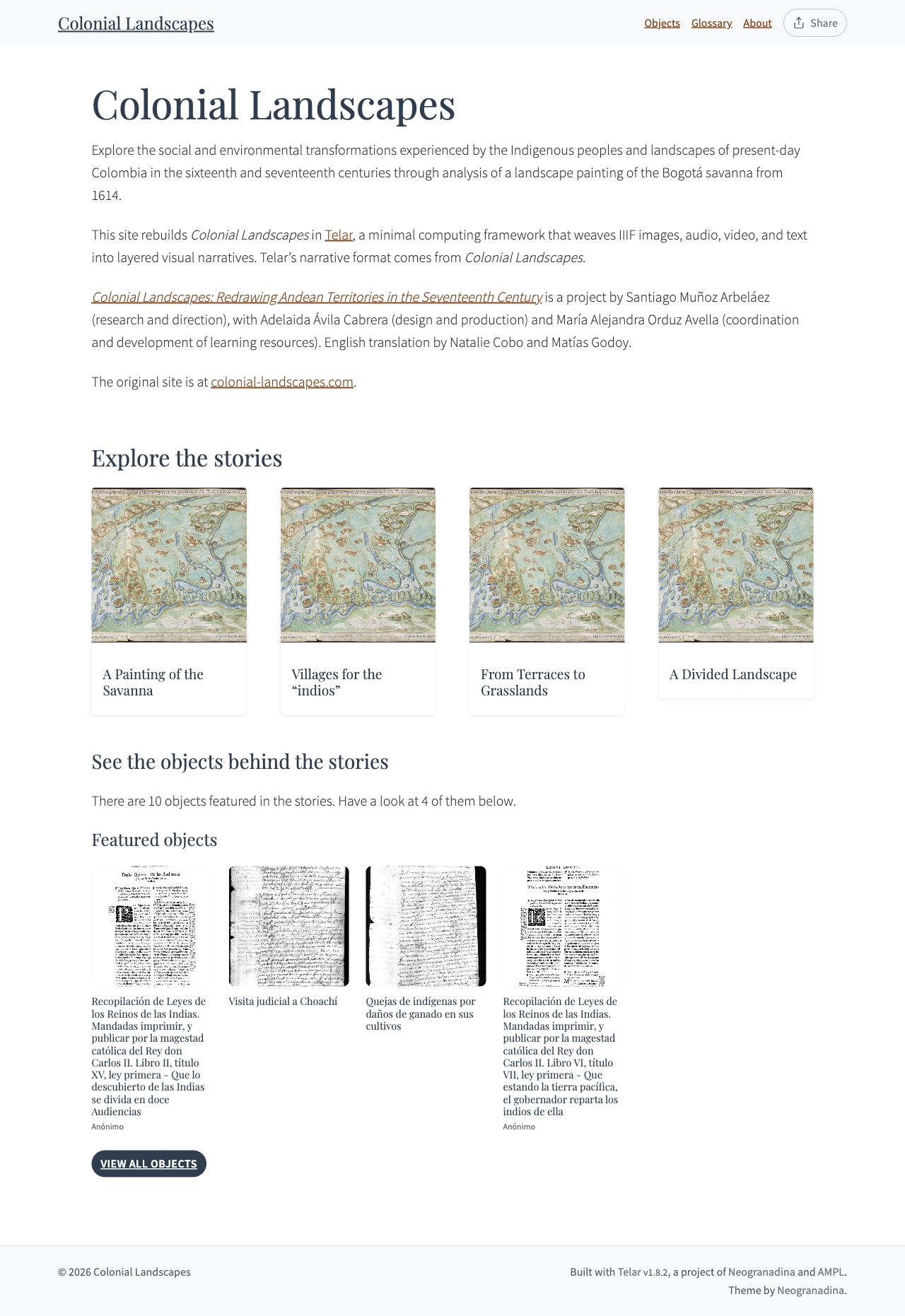
A complete homepage connects the introduction, story choices and object collection. Open the full-size image to examine the layout.
Decide how stories relate
Use one story for a continuous argument or guided examination. Split material into several stories when each has a distinct question, audience or source group.
Write a one-sentence description of each story’s role. If two descriptions are interchangeable, reconsider the division. If a later story depends on earlier knowledge, explain or link that relationship.
Offer other ways into the sources
The objects gallery supports browsing beyond the guided narratives. Meaningful titles, credits, descriptions and consistent metadata help visitors understand what they find there.
The glossary provides recurring context. An About or methodology page can explain contributors, research choices, source selection and acknowledgements without interrupting every story.
Sketch the navigation
List the menu entries and the page each should open. Keep the list short enough to understand at a glance. Use names that describe the destination.
In the Compositor, arrange the menu in Home and Pages and adjust homepage and collection display in Site settings. With files, the navigation lives in _data/navigation.yml; see navigation reference.
Choose a manageable first version
Build one complete route through the exhibition first: homepage → story → source or panel → ending. Then add the other stories and supporting pages.
Your result: a simple site map, ordered story list and homepage outline. Next, test the exhibition with readers.